From Field to Phone: How John Deere JDLink Helps Farmers
 Published - 19 Aug 2026
by Sakshi Yadav

 Share
Social Share


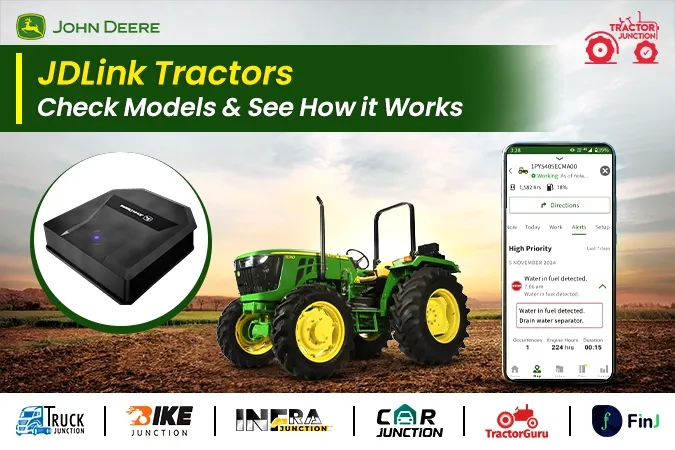
If you own a farm and want to keep a closer watch on your tractor, even when you are not sitting on it, John Deere has a tool built just for that. It is called JDLink. Farming today is not just about strong engines and good implements. Knowing where your tractor is, how it is running, and when it needs service can save you time, fuel, and money. This is where JDLink steps in, giving farmers a way to stay connected to their machines from a phone screen.
In this blog, we will cover what JDLink is and how it works, which John Deere tractor models in India come fitted with this feature, what extra features you get along with it, and what you should know about pricing before you visit a dealer. Whether you run one tractor on your own land or manage a small fleet across different fields, this guide will help you understand if a JDLink tractor is worth adding to your farm.
What Is JDLink?
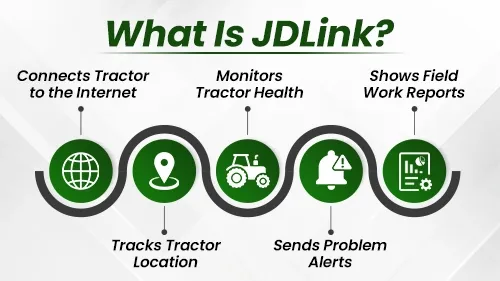
JDLink is a connectivity tool from John Deere. It connects your tractor to the internet through a modem fitted on the machine. Once connected, the tractor sends data about its location, its work, and its health straight to the John Deere Operations Center app on your phone.
This means you do not need to be near the tractor to know how it is doing. You can check where it is working, how long it has run, and whether it needs any service, all from your mobile screen. This is helpful for farmers who own more than one tractor, or for those who hire out their tractors and want to keep track of them.
JDLink also sends alerts if something is wrong with the machine. This helps you catch small problems early, before they turn into big repair jobs. It works well with John Deere tractors, and through a separate field installation kit, it can also connect older machines and tractors from other brands. This way, you can track your full fleet from one single app, no matter the age or brand of each machine.
How JDLink Work on Your Farm?
The system runs through a small device called the JDLink modem. This modem is fitted on the tractor and picks up data as the machine works in the field. This data is then sent over the network to your John Deere account. From there, you open the Operations Center app on your phone or computer to view all the details.
You do not need to do anything extra once the modem is set up. It works in the background while you focus on the farm work. The app then gives you reports and alerts, so you always know the state of your tractor without walking up to check it yourself.
For farmers who use other brands of tractors along with John Deere machines, the JDLink field installation kit lets you fit the same tracking system on those tractors too. This means one app can show you data from your entire fleet, not just John Deere models.
Top 3 John Deere Tractor Models With JDLink
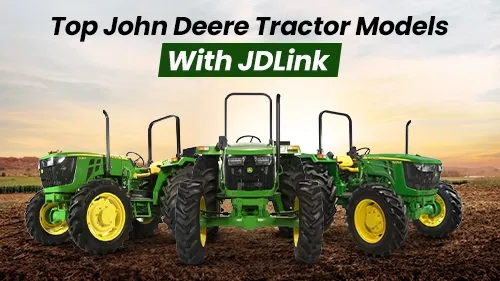
As per John Deere's official India website, JDLink comes fitted on the PowerTech series tractors under the John Deere E Series range. There are five models in this group, and each one carries the same JDLink connectivity, with a jump in engine power as you move up the range. Below we have discussed top 3 John Deere Tractor Models With JDLink -
-
John Deere 5310 PowerTech
This tractor gives 57 HP and is the entry model in the group, offered in both 2WD and 4WD. JDLink connectivity comes built in from day one, so you can track its location and check work reports right from the start. It suits farmers who need steady power for daily field tasks, along with the added comfort of remote tracking.
-
John Deere 5405 PowerTech
This tractor gives 63 HP, a step up in power from the 5310, and is also offered in 2WD and 4WD. It carries the same JDLink support. An AC cabin version is available too, adding driver comfort during long hours in the field, on top of the tracking features.
-
John Deere 5075E PowerTech
This tractor gives 74 HP and is the strongest model in the group, built only as a 4WD tractor for heavier field work. It comes with JDLink connectivity fitted in, and like the 5405, it also has an AC cabin option for farmers who spend long days on the tractor.
All three models fall under the PowerTech line, and the John Deere Operations Center App works across this full range. So no matter which model you pick from this group, you get the same connected tracking support, only the engine power and drive type change.
Additional Features That Come With JDLink
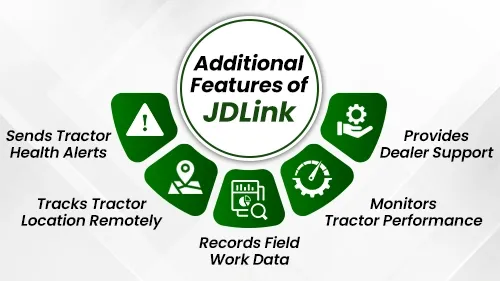
Beyond just tracking location, the JDLink system and its field kit bring a set of features that help you manage your farm work better.
- Tractor Health Alerts
The system sends alerts about your tractor's condition without breaking your work. This means you get warned early if something needs attention, rather than finding out only after a breakdown. - Track and Trace
This feature gives you round the clock remote tracking of your tractor's location. If your tractor is out in a far field, or if someone else is driving it for a job, you can always see where it is. - Field Work Documentation
JDLink gives you detailed reports on the work done in your fields. This can help you plan future tasks, check how much ground was covered, and keep records for your own farm planning. - Monitor Your Tractor
With regular data on how the tractor is running, you can make sure it is being used the right way. This helps the machine work better over time and can add to its working life. - Dealer Support
Since your dealer can also see the health data from JDLink, they can offer support before a small issue becomes a costly repair. This also helps with planning regular service visits, so the tractor stays in good working order.
The JDLink field installation kit itself comes with the JDLink device, a wiring harness, and mounting parts needed to fit it onto the tractor. This kit is built for PowerTech open operator station tractors, covering the 5310, 5405, and 5075 PowerTech models.
John Deere JDLink Tractors Price
The price of JDLink-based John Deere tractors and kits may vary depending on the location, dealer, and ongoing offers. For the latest tractor price information, call Tractor Junction or contact your nearest John Deere tractor dealer. Since tractor prices often include local taxes, transport costs, and dealer charges, it is best to speak with a dealer directly rather than relying on a fixed number found online.
Should You Choose a Tractor With JDLink?
If you run a farm with more than one tractor, or if you rent out your machine for use by others, JDLink can be a useful addition. It saves you the trouble of driving out just to check on a tractor, and it can catch problems before they cost you a lot in repairs.
For a farmer running a single tractor mostly on their own land, the day to day benefit may be smaller, but the health alerts and service planning support still add value over the life of the machine.
Conclusion
JDLink brings your tractor's data straight to your phone, covering its location, its health, and its work reports. In India, this feature comes fitted on the John Deere 5310 PowerTech, 5405 PowerTech, and 5075E PowerTech models, all part of the E Series PowerTech line. Along with tracking, you get health alerts, work documentation, and better support from your dealer. Since prices are not fixed online, the next step is to reach out to your nearest John Deere dealer for the latest cost on these models and the JDLink kit.
Certified Used Tractors

 Book Now


Top News
 October 25, 2026
Choosing the right tractor depends on your farm size, soil type, implements, and budget. A
Read More November 12, 2026
Swaraj 855 FE 4WD and Mahindra Arjun Novo 605 DI-i 4WD are two well known
Read More November 14, 2026
Farming costs keep going up. Diesel, inputs and equipment all cost more every year. For
Read More October 20, 2026
The Agri King T44 is a 39 HP tractor powered by a 3-cylinder Kirloskar engine.
Read More October 26, 2026
Are you looking for a tractor for regular farming activities such as ploughing, cultivation, rotavating
Read More November 18, 2026
अजमेर में पावरट्रैक, महिंद्रा और सोनालीका समेत कई ब्रांड के पुराने ट्रैक्टर, कम कीमत में
Read More November 18, 2026
जानें, सोनालिका के इन पांच लोकप्रिय ट्रैक्टरों के फीचर्स, इंजन क्षमता और खासियतें गेहूं की
Read More November 18, 2026
जानें, सर्दियों में गाय-भैंस का दूध घटने के क्या हैं कारण और दूध उत्पादन बनाए
Read More November 18, 2026
Mahindra mini tractor price in India starts from ₹3.10 lakh (ex-showroom) and goes above ₹7
Read More November 17, 2026
मक्का बाजार में प्रीमियम क्वालिटी की मांग मजबूत, नई आवक से सामान्य माल के भाव
Read MoreIn Other News